

How Integrations Work
Every integration is an instance you create from a connector, scoped to the context you’re working in. Depending on the system, Myrmex connects in one of a few ways:Through a Collector
For on-premises and network devices, a Myrmex Collector (a device running
the agent in Collector mode) reaches the system over SSH or its API from
inside your network.
Directly to the cloud
For cloud and SaaS platforms, Myrmex connects over the vendor’s API — via
OAuth consent or a least-privilege service credential.
Your credentials never pass through the AI. The agents only ever reference
an integration by its ID and ask it to run a specific action; the actual
secrets are stored securely and resolved server-side. See
Data Protection.
Shared vs. Private Credentials
By default an integration uses one shared credential for the whole organization — everyone works through the same service account. For integrations where each person should act as themselves, you can switch the integration to private: every user links their own credential, and any request runs under the credential of the user performing it.Shared (default)
One organization-wide credential. Anyone with access uses the same service
account — simplest for centrally-managed systems.
Private (per user)
Each user links their own login. Actions are attributed to — and use the
permissions of — the individual running them. “Requires each user to use their
own credentials.”
integrations.update permission) flips Private integration. It’s only available for connector types that support private credentials; a shared integration keeps working exactly as before.
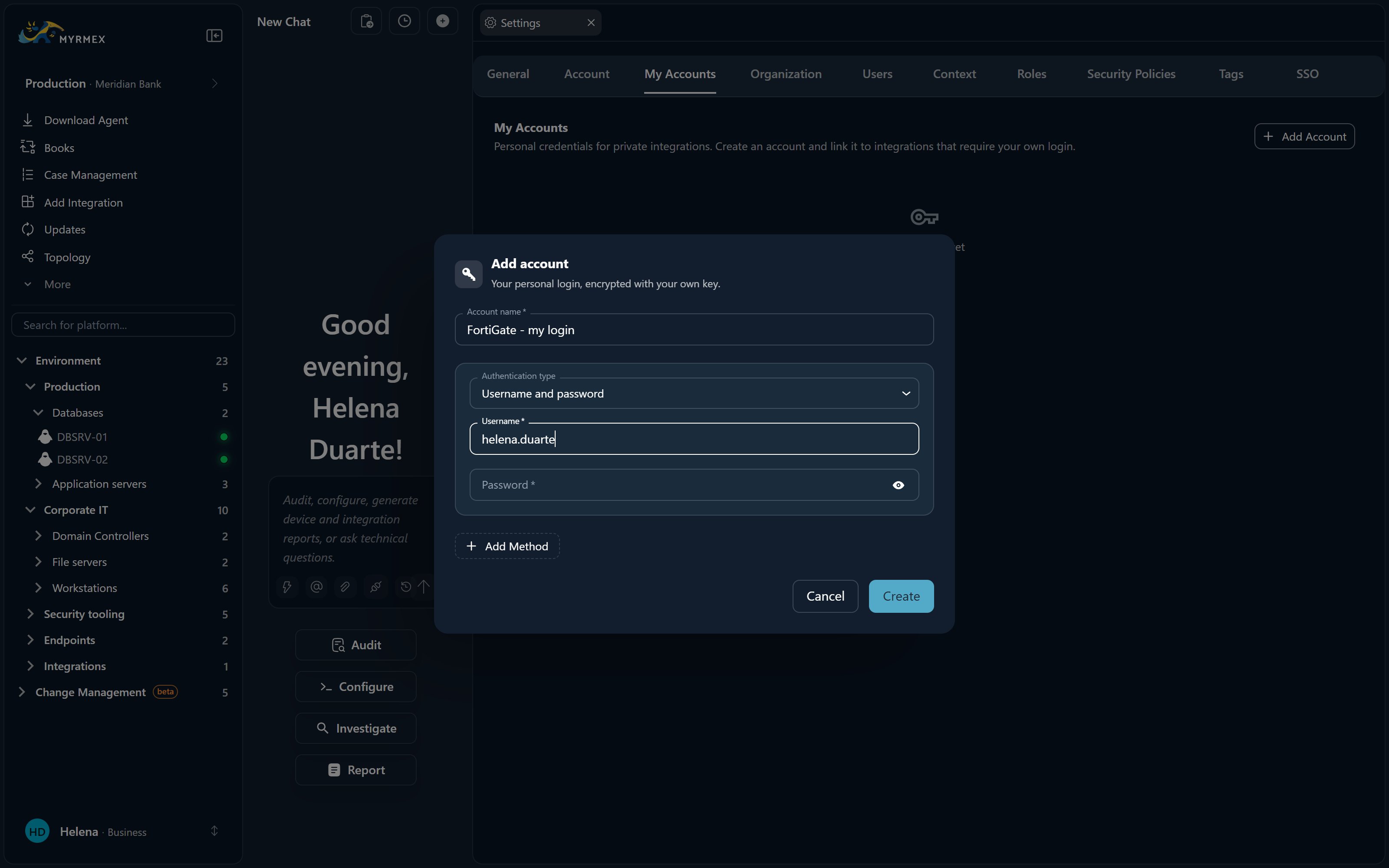
Linking your account. When an integration is private, each user links a personal credential once:
1
Create a personal credential
Under Settings → My Accounts, add an account — your personal login for a
private integration (API key, basic auth, OAuth, SSH, or database credential).
2
Link it to the integration
Open the integration and go to Integration Details → Private credential →
My credential, choose your account, and Link it. You can create a new
account inline here too.
3
Check the status
Your linked credential shows as Valid, Invalid, or Not tested — a
per-user status, independent of the integration’s overall health.
Until you link a valid credential, a private integration appears unavailable to
you and the AI can’t act on it on your behalf — you’ll be prompted to “link
your account in Integration Details → Private credential.” Other users are
unaffected; each person’s access is their own.
What You Can Do with an Integration
- Read and analyze — pull alerts, inventory, configuration, and metrics into your investigations, in real time and on demand.
- Take action — apply firewall rules, isolate endpoints, run queries, open tickets, and more, always with the AI-proposes-you-approve safeguard for changes.
- Measure posture — run continuous and on-demand Security Posture audits against the connected system.
Adding an Integration
1
Open Add Integration
From the Directory, choose the Add Integration quick action.
2
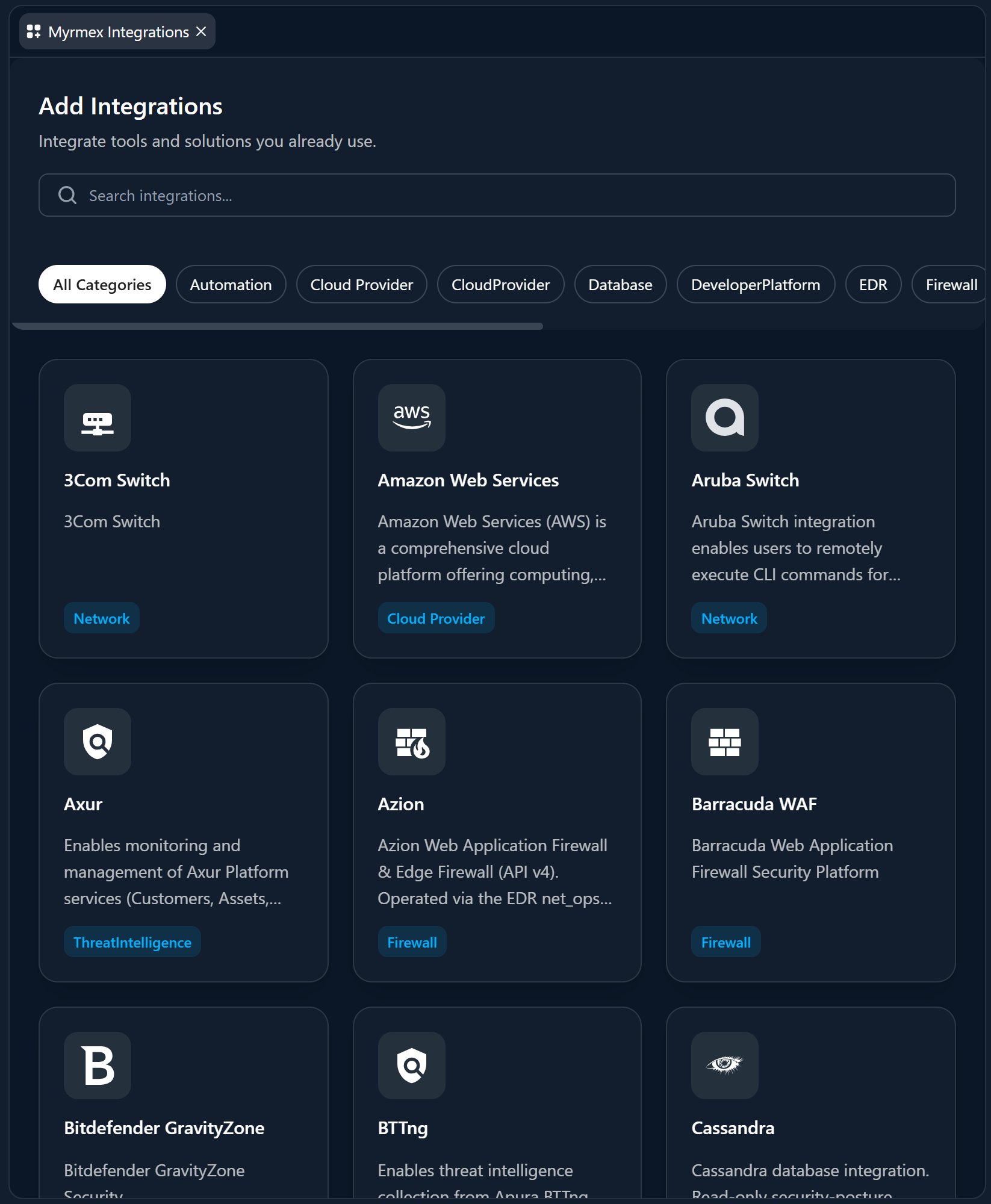
Pick the connector
Choose the system you want to connect from the catalog.
3
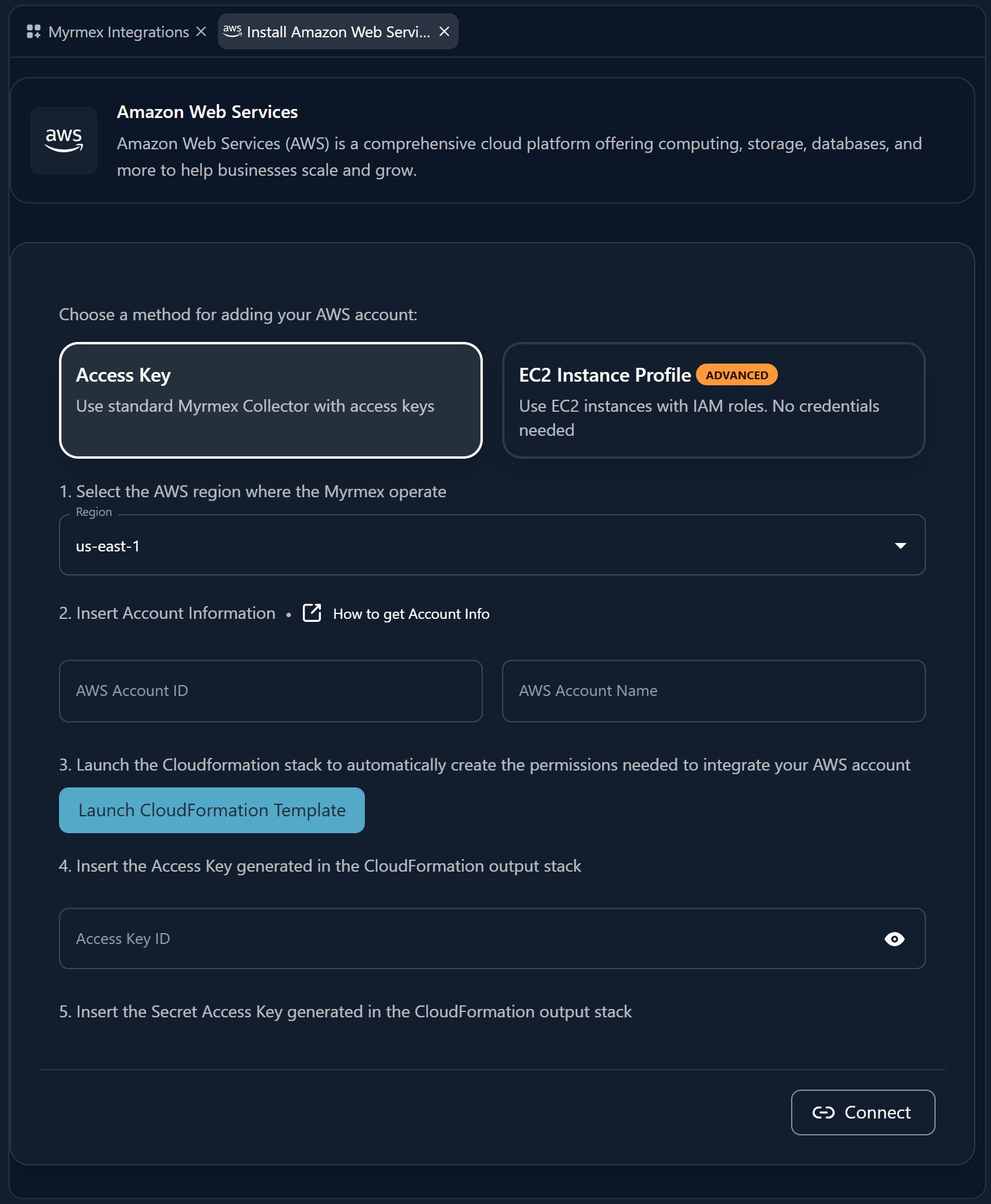
Provide the credential
Follow that connector’s page in this section to create the required credential
(API key, service account, SSH user, or OAuth consent) and fill in the fields.
4
Connect
Save to validate the connection. The integration then appears under
Environment → Integrations.
The Connector Catalog
Browse connectors by category in the sidebar. Each connector has its own page describing exactly which credential to create and how.- Cloud & CSPM — AWS, Google Cloud, Oracle Cloud, Prowler
- Microsoft & Identity — Entra ID, Intune, Microsoft 365, Sentinel, Google Workspace
- Firewalls & WAF — FortiGate, Palo Alto, Sophos, pfSense, WatchGuard, Cisco, Juniper, Barracuda, Cloudflare, Azion
- Network Devices — Cisco, Huawei, Juniper, MikroTik, Dell, Aruba, D-Link, 3Com, Intelbras, Meraki, UniFi, Umbrella, NetBox
- EDR & XDR — CrowdStrike, SentinelOne, Trend Micro Vision One, Bitdefender
- SIEM & Monitoring — Wazuh, Elastic Security, IBM QRadar, Rapid7 InsightIDR, Zabbix, FortiAnalyzer
- Vulnerability & Threat Intelligence — Tenable, Google Threat Intelligence, Shodan, Apura, Axur
- ITSM & Ticketing — GLPI, Jira
- DevOps, Automation & Notifications — GitHub, Kubernetes, Grafana, n8n, SendGrid
- Databases — PostgreSQL, MySQL/MariaDB, SQL Server, Oracle, Firebird, MongoDB, Redis, Cassandra, Elasticsearch