

Creating Custom Roles
Custom roles allow you to create specialized access patterns for unique teams like “Cloud Security” or “Regional Auditors.”1
Access Role Management
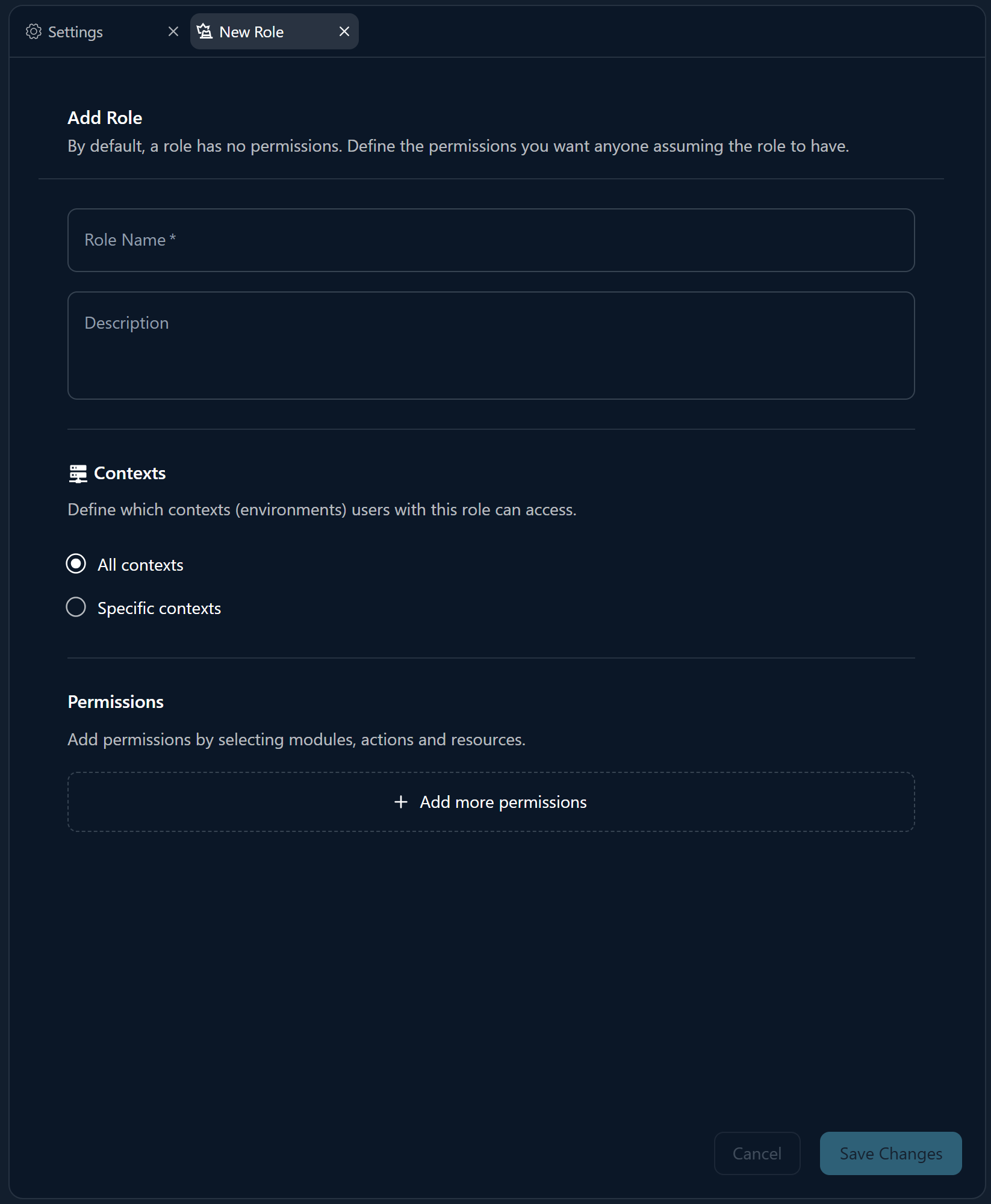
Navigate to Organization Settings → Roles and click “New Role”.
2
Define Information
Provide a name and description. You can also provide translations for multi-lingual teams.
3
Select Permissions
Browse through the Core, Devices, Chat, and Billing modules to select the specific capabilities needed for this role.
4
Assign Asset Group
Select an existing Asset Group or create a new one to define the scope of the role’s authority.
Inviting and Managing Users
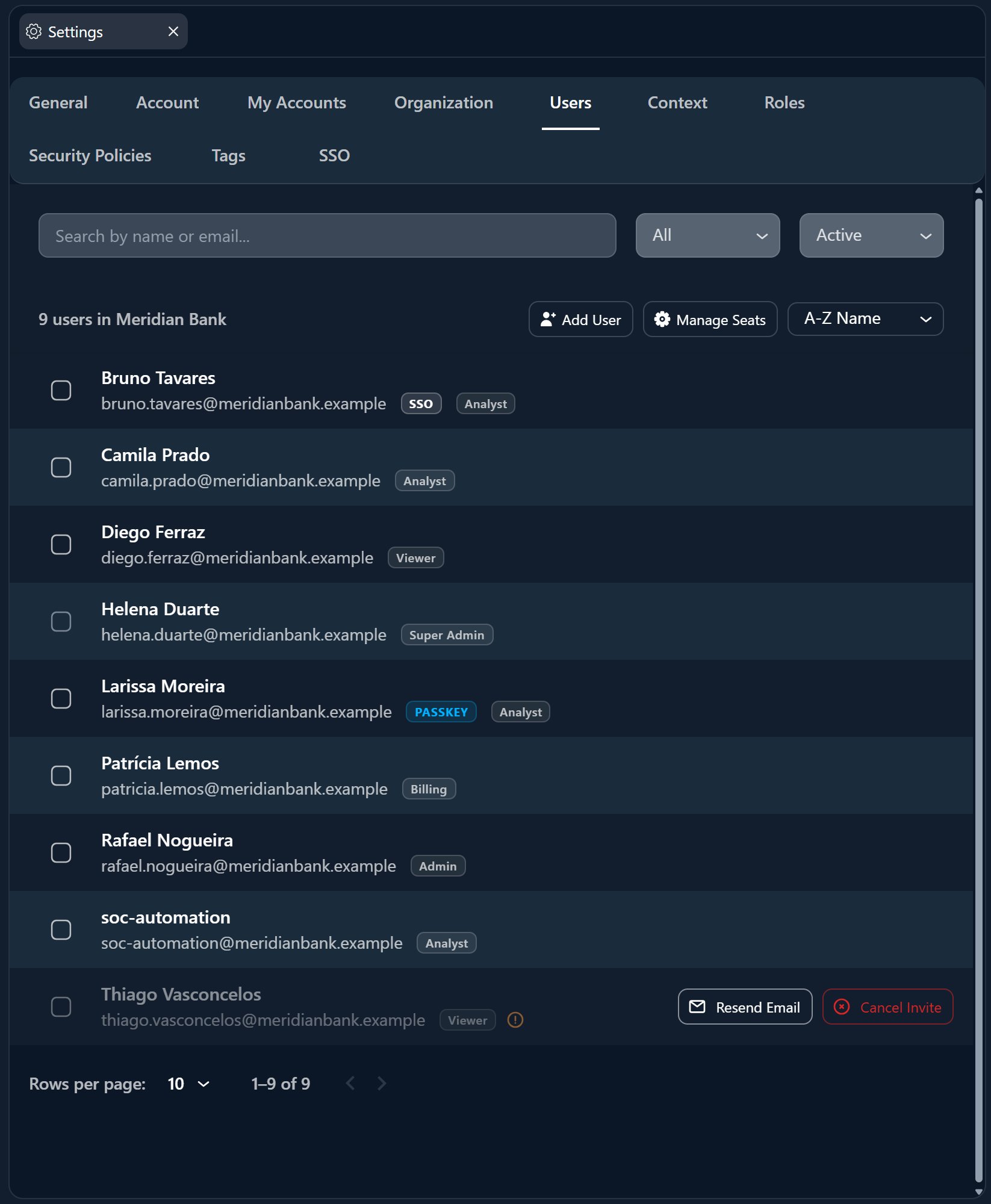
Invite Users
Go to Organization Settings → Team and click “Invite User”. Provide their email and assign one or more roles.
Effective Permissions
Users receive the union of all permissions from all assigned roles. This allows for modular role assignment.
Managing Service Users
Service users are special accounts designed for API integrations and automation.- No Interactive Login: Access is via API tokens only.
- Limited Scope: Can be assigned specific roles and Asset Groups just like human users.
- Use Case: Connecting a SIEM or custom automation scripts to the Myrmex API.
Best Practices
Principle of Least Privilege
Always grant the minimum permissions necessary. Start with restrictive roles and add permissions only as needed.
Use Descriptive Names
Name roles by their scope and function, e.g., “LATAM Analyst” rather than “Team A”.
Regular Audits
Periodically review user roles and Asset Group scopes to ensure they align with current job functions and regional boundaries.
Adding Conditional Access
Once roles are configured, you can add environmental restrictions using Security Policies:Security Policies
Add time-based, network-based, and MFA-based restrictions on top of RBAC roles.
Policy Conditions
Explore all available condition types: IP, time, day, MFA, device type, user agent.