

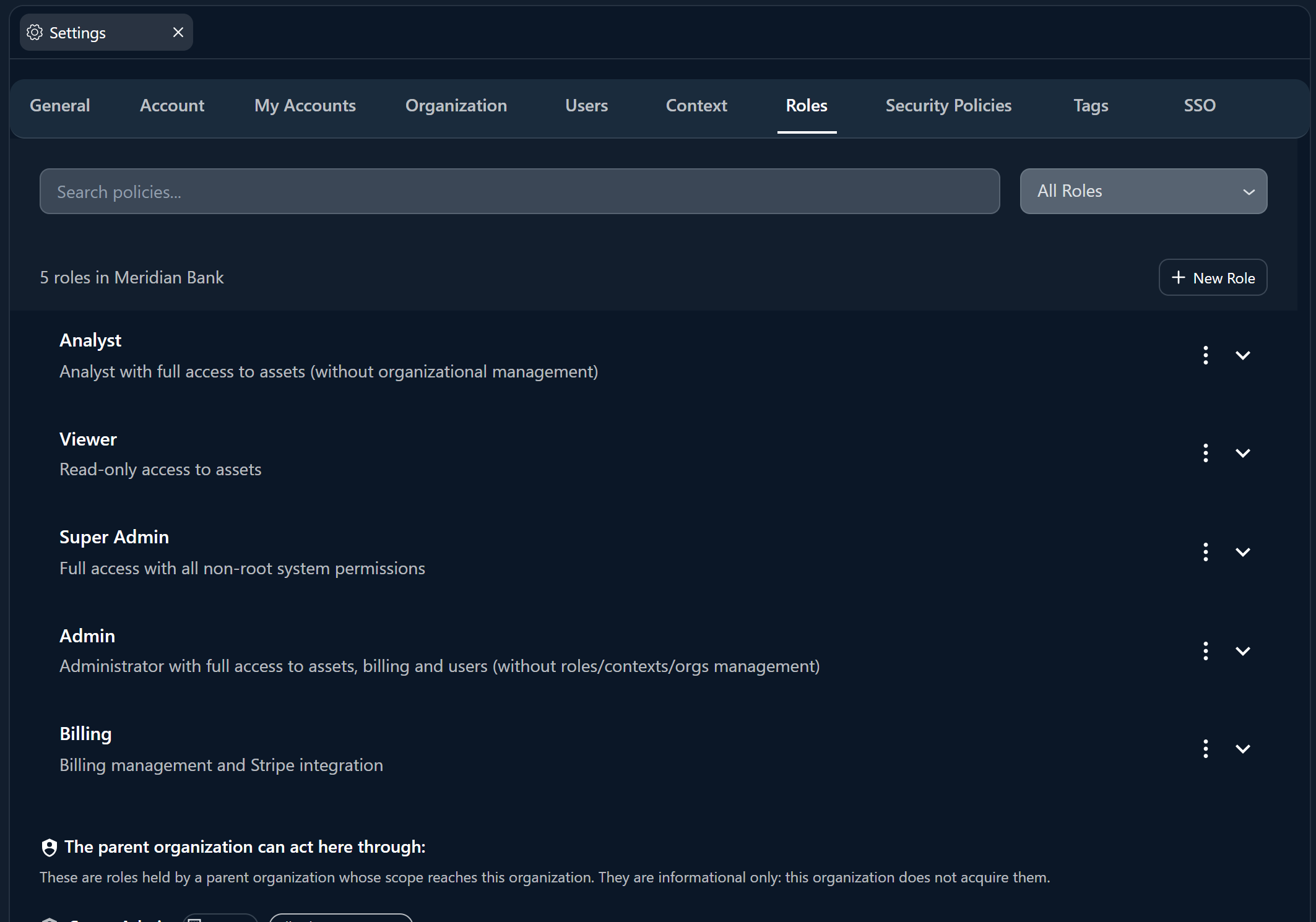
Super Admin - Full Control
Super Admin - Full Control
Full Access. The highest privilege level with unrestricted access to all platform features and resources.Typical Use Cases:
- Organization owners
- C-level executives
- Platform administrators
- Manage all organizational settings and billing
- Create/Delete users and assign any role
- Access all devices, integrations, and sites across all contexts
- Manage sub-organizations (Enterprise)
Admin - Operations Management
Admin - Operations Management
Operational Control. Designed for day-to-day operational management without access to sensitive billing or critical organizational changes.Typical Use Cases:
- Security operations managers
- IT administrators
- Team leads
- Manage users, devices, integrations, and sites
- Execute actions on integrations and devices
- Manage security cases and run playbooks/runbooks
- View billing information (read-only)
Analyst - Security Operations
Analyst - Security Operations
Security Operations. Designed for security analysts who need to operate security tools and investigate incidents.Typical Use Cases:
- SOC analysts (Tier 1, 2, 3)
- Security engineers
- Incident responders
- Full management of devices and integrations
- Execute actions and commands
- Generate and view reports
- Access chat and artifacts
Viewer - Read-Only Access
Viewer - Read-Only Access
Read-Only. Perfect for auditors, stakeholders, or temporary access needs.Typical Use Cases:
- External auditors
- Management oversight
- Compliance officers
- View all devices, integrations, and configurations
- View and download reports
- Access chat and read artifacts
Billing - Financial Management
Billing - Financial Management
Financial Management. Specialized role for finance teams and billing administrators.Typical Use Cases:
- Finance department
- Procurement officers
- Manage subscriptions, seats, and licenses
- Purchase and manage tokens
- Access billing metrics and dashboards
If these native roles do not meet your specific requirements, you can create Custom Roles with more granular permission combinations. See Managing Access for more information.
Combining Roles with Security Policies
Native roles define what a user can do. To add when and where restrictions, combine roles with Security Policies. For example:- Restrict Analyst access to business hours only
- Require MFA for all Admin actions
- Limit Viewer access to weekdays