

Keep the two apart as you read. “Install the agent” always means the program on
the host. “The agent decided” always means an
AI agent.
One Program, Two Roles
You install the same binary either way. What changes is the role it plays, and you can switch a device between them from its detail view.Endpoint
Runs on the host you want to watch — a workstation or a server. It
collects the machine’s telemetry and carries out response actions there.
Collector
Runs as a bridge to your integrations, reaching systems that cannot run
the agent themselves — a firewall, a SIEM, a cloud account.
What It Does
The agent follows one model: collect → enrich → respond. It gathers telemetry from the operating system, normalises it, and executes actions when an AI agent asks it to.Agent Capabilities
The telemetry it collects and the actions it can take on a host.
Agent Architecture
How the collect, enrich and respond stages fit together on the machine.
Where to Start
Install it from Download Agent in the console. You pick the operating system, choose between the installer and a script, and the page hands you an installation token to paste during setup.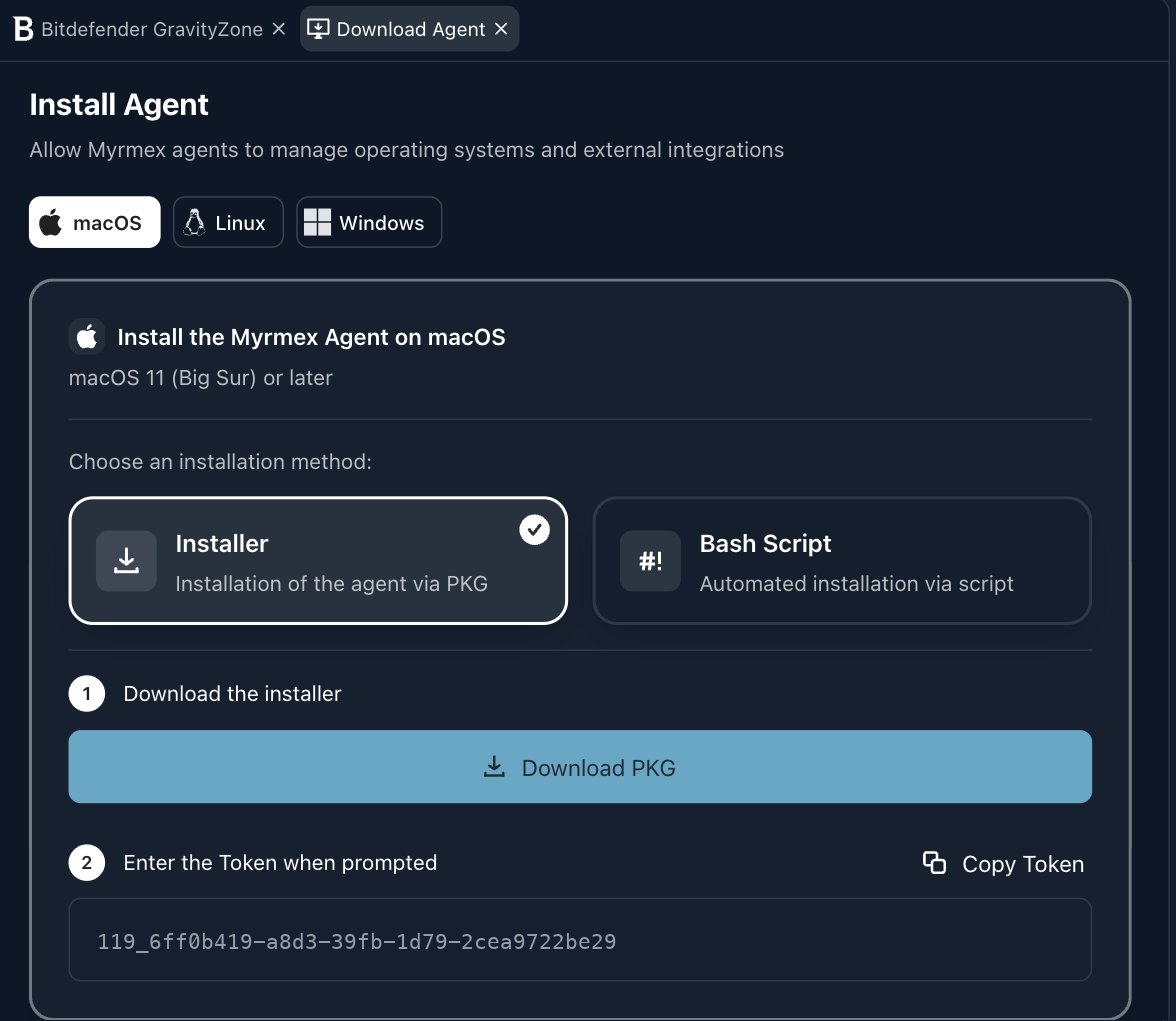
Where to Go Next
Deploying the Agent
The full install walkthrough for Windows, Linux and macOS.
Endpoints & Device Inventory
Browse everything registered, grouped into folders and ranked by severity.
Device Details & Actions
Open one machine to authorise it, switch its role, set rules and audit it.
Patch & Update Management
Review pending operating-system updates and approve the proposed schedules.
Agent Communication & Security
How the agent enrolls, proves its identity and talks to the platform.