

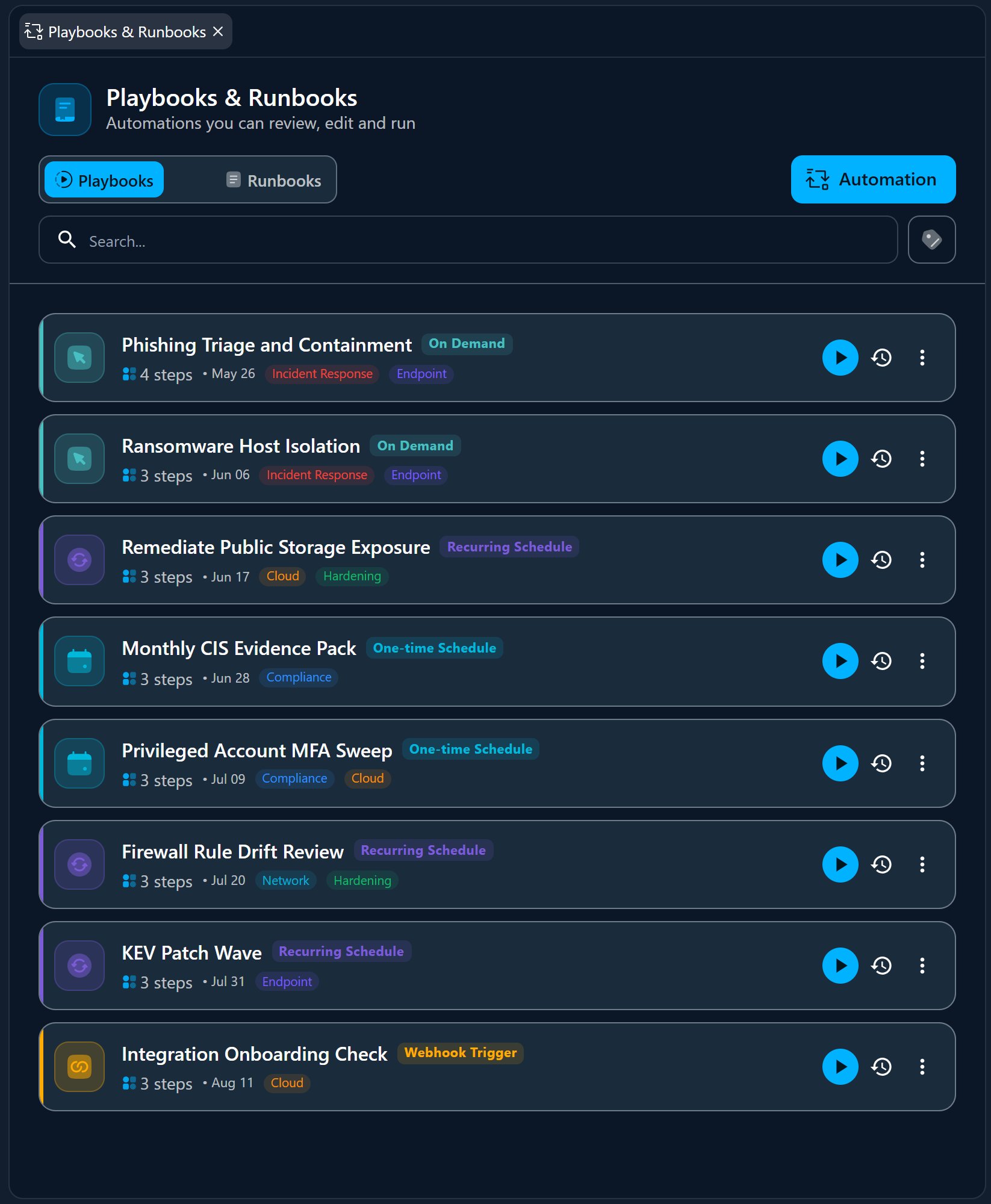
Open Books from the Automation quick action in the Directory. It opens in the Workspace with two tabs — Playbooks and Runbooks — plus a single Automation button to create something new.
Runbooks vs. Playbooks
Runbook — the reusable step
A single, self-contained procedure: a natural-language instruction for the AI,
one tool action, or a sandboxed script. The atomic unit you compose from.
Playbook — the orchestration
A workflow that chains runbooks in order, passing each step’s output to the
next, and attaches a trigger (schedule, webhook, or on demand). This is the
automation that actually runs.
Kinds of runbook
A runbook is one of a few kinds, so a step can be as simple as a prompt or as precise as a single API call:Building a Playbook
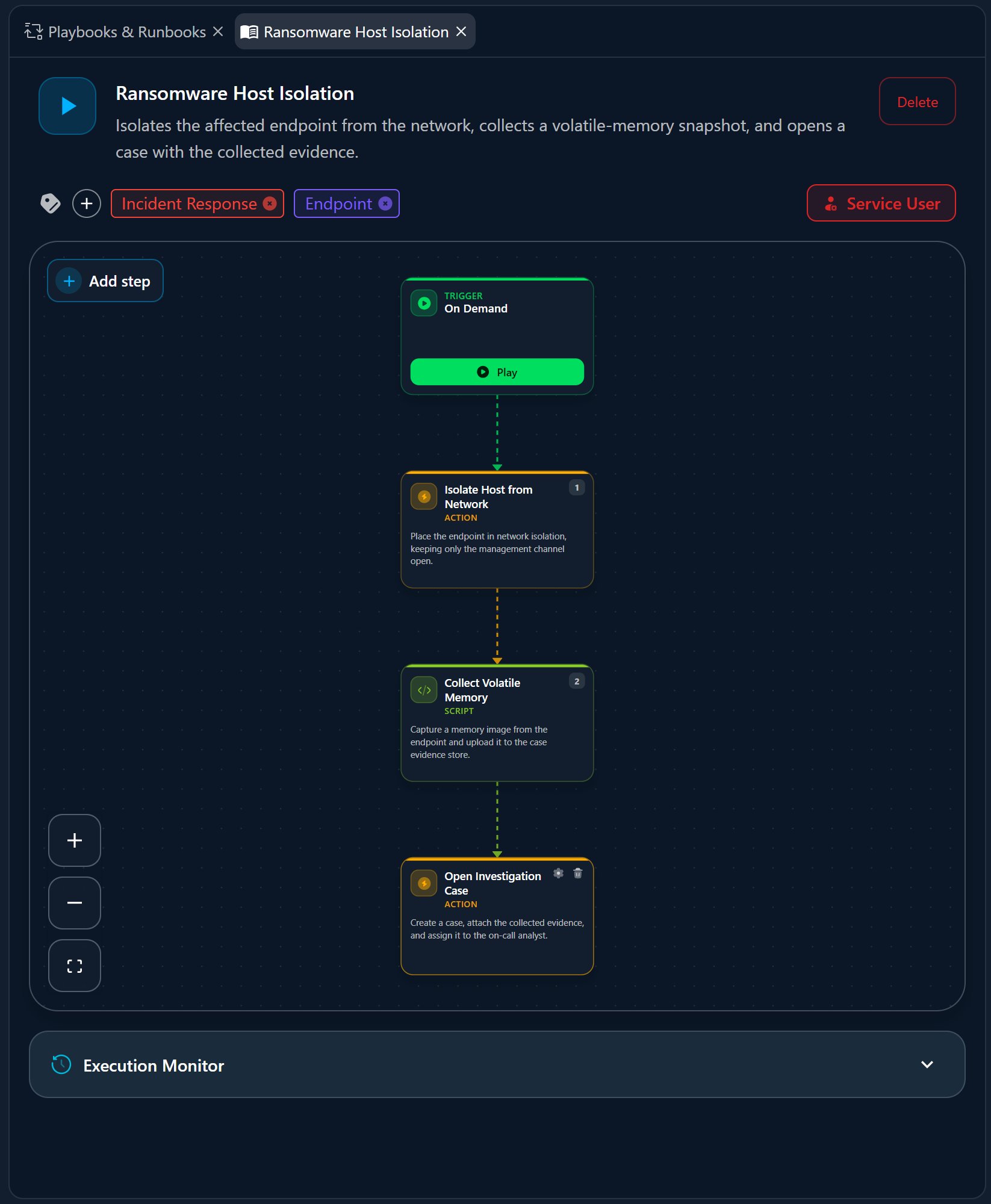
A playbook is a visual workflow. Its steps are runbooks laid out top to bottom; the trigger sits at the start.1
Add steps
Add runbooks as steps — a Centurion instruction, a tool action, or a script.
They run in order, and each step can reference a previous step’s output with
{{steps.N.output...}} bindings.2
Add conditions (optional)
A step can loop over a list (
for each), run only if a condition holds,
or stop the playbook when one does — so the workflow adapts to what it finds.3
Choose a trigger
Decide how the playbook starts (see below).
4
Set the service user
A playbook runs as a service user you pick — the identity whose access and
approvals its actions use. A playbook can’t run until one is set.
5
Save and run
Save the playbook, then run it — manually, or let its trigger fire it.
Triggers
On demand
Runs only when you start it. Doesn’t consume any schedule slots.
Recurring schedule
Runs on an interval — from every minute through hourly, daily, weekly, or
monthly — with a start time and an optional end date.
One-time schedule
Runs once, at a date and time you pick.
Webhook
Runs when an external system calls the playbook’s webhook URL — useful for
wiring Myrmex into your own tooling.
Scheduled and recurring playbooks reserve calendar slots; on-demand runs
don’t. Keep a playbook persistent to retain it after it runs — otherwise a
one-off is cleaned up automatically.
Create in Plain Language
You don’t have to build a workflow by hand. The Automation composer turns a description into a ready-to-review playbook:1
Describe the automation
Write what you want — for example, “For every open offense on
@qradar,
enrich it and open an incident on @my-itsm.” @-mention at least one
device or integration; mention tools too, or let Myrmex pick the right
ones.2
Myrmex builds it
The AI generates a draft playbook and its runbooks, with a plan summary and the
assumptions it made. This runs asynchronously and can take a few minutes — you
can keep working.
3
Review the draft
The result renders as a workflow preview you can read step by step — no need to
open the editor. If Myrmex needs more detail, it asks clarifying questions first.
4
Approve & enable
Discard it, Edit steps in the full editor, or Approve & enable to
activate it. A generated automation stays a draft until you approve it.
Running and Tracking
Run a playbook from its trigger, the Run action in the directory, or on its schedule. Each run streams its progress — the current step, the agent’s output and tool calls, and token usage — and every run is kept in the playbook’s execution history so you can see what happened and when.Who Can Use Books
Books is governed by its own permissions, so you can separate authoring from running:Automation is part of Myrmex’s advanced capabilities — scheduling, unlimited
execution, per-minute intervals, and extra playbook slots vary by plan. See
Plans & Licensing for what’s included.
Related
Change Management
For governed, approval-gated changes and patch rollouts.
The AI Workspace
Where you talk to the agents and
@-mention the devices and tools your
automations use.