

Memory is maintained by Centurion. It’s read-only in the console — you
review it, and the AI writes and refreshes it as it learns while managing the
asset. If you want to instruct the AI about an asset, use its Rule instead
(see below).
What It Holds
Memory is a short, plain-language summary of the important points about managing one asset — the kind of context a teammate would jot down so the next person isn’t starting from scratch. For example:- “This device is part of the Myrmex project.”
- “Primary domain controller — changes here need extra care.”
- “This firewall’s management interface is only reachable through the DMZ collector.”
Memory vs. Rule
Each asset has two adjacent, complementary notes — you’ll find both on the asset’s Rules tab:Rule — you instruct
A free-text instruction you write for the AI — “prefer PowerShell on this
host,” “never restart this server during business hours.” The agents follow
it whenever they act on the asset.
Memory — the AI remembers
A note the AI maintains about the asset as it learns. Read-only to you —
context the agents carry forward, not an instruction you set.
Where to Find It
Open a device or an integration and go to its Rules tab — Memory sits just below the Rule. It travels with the asset, so whenever you (or the agents) work on that device or integration, its memory is part of the picture.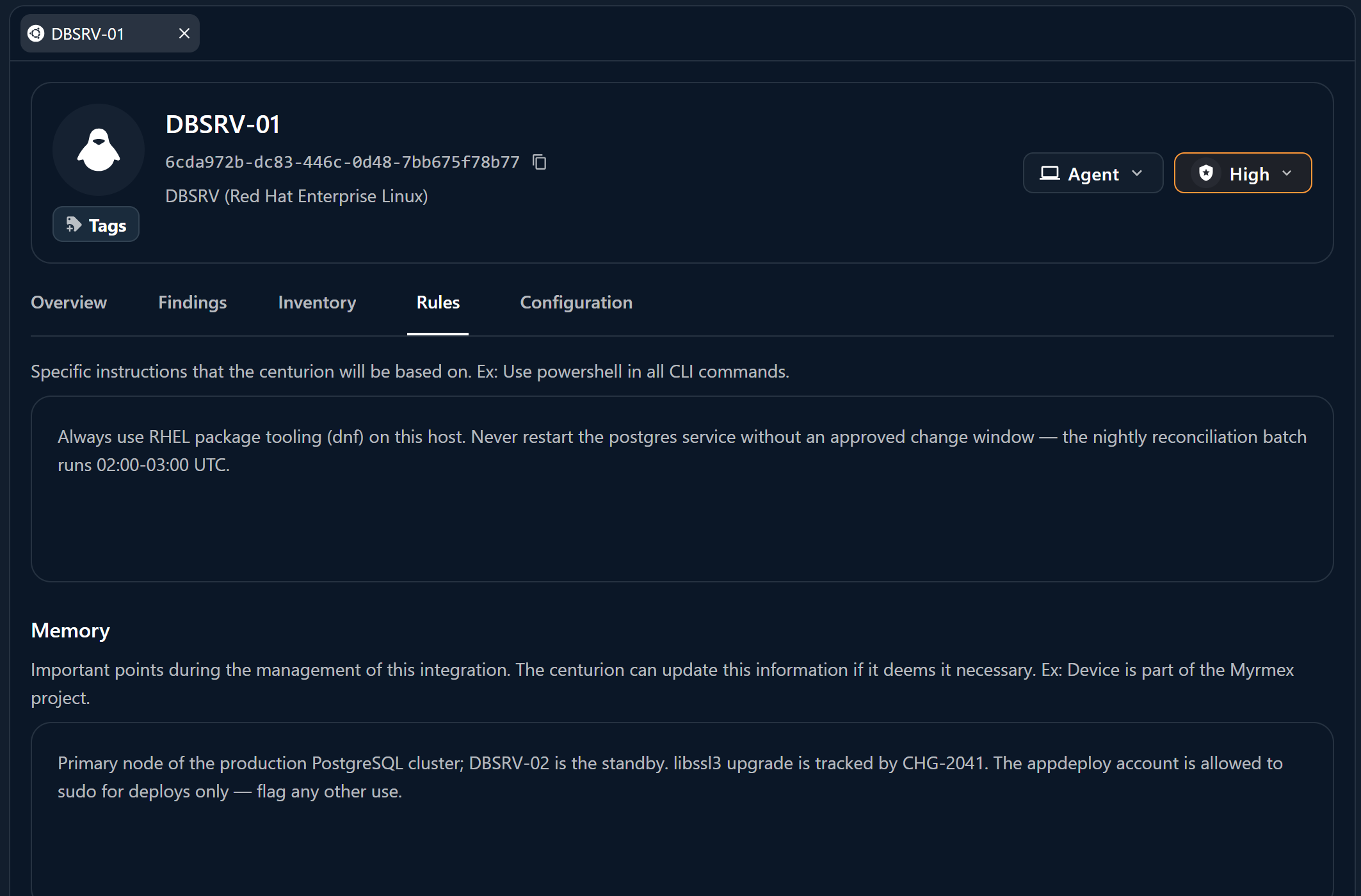
Related
Folders & rules
Steer the AI across a whole group of assets with folder-level rules.
Device details
Where a single host’s system info, rule, and memory live.