

@-mentioning it in chat.
System Information
The device view opens on its System Info — a live snapshot reported by the Myrmex agent:- Operating system and version
- CPU and memory
- Agent version installed on the host
- Device ID — the device’s unique identifier in Myrmex
- Public IP address
Authorizing a Device
A newly installed device first appears as unauthorized and does not report until you approve it. This manual step means a device only becomes active in Myrmex once you say so.1
Install the agent
Onboard the host through the Download Agent flow. It registers as unauthorized.
2
Authorize it
Open the device and choose Authorize. It activates and begins reporting.
Device Role: Agent or Collector
Every device runs in one of two roles, and you can switch between them here:Agent
The host protects itself — collecting telemetry and running response actions locally.
Collector
The host acts as a real-time bridge, reaching external systems over SSH or their APIs. Collectors also list their connected integrations.
Editing a Device
Adjust how a device is identified and prioritized:- Name and description — label the host in terms your team recognizes.
- Severity — mark how critical the device is, so investigations and posture reviews weigh it accordingly.
- Tags — apply labels that also govern who can access the device.
Rules and Memory
Two settings shape how the AI works with a device:Rule
A free-text, natural-language instruction you write for the AI — for example,
“prefer PowerShell on this host” or “never restart this server during business hours.” The agents follow it whenever they act on the device.
Memory
A running record the AI maintains about the device as it learns. It’s
read-only — you review it, the AI keeps it current.
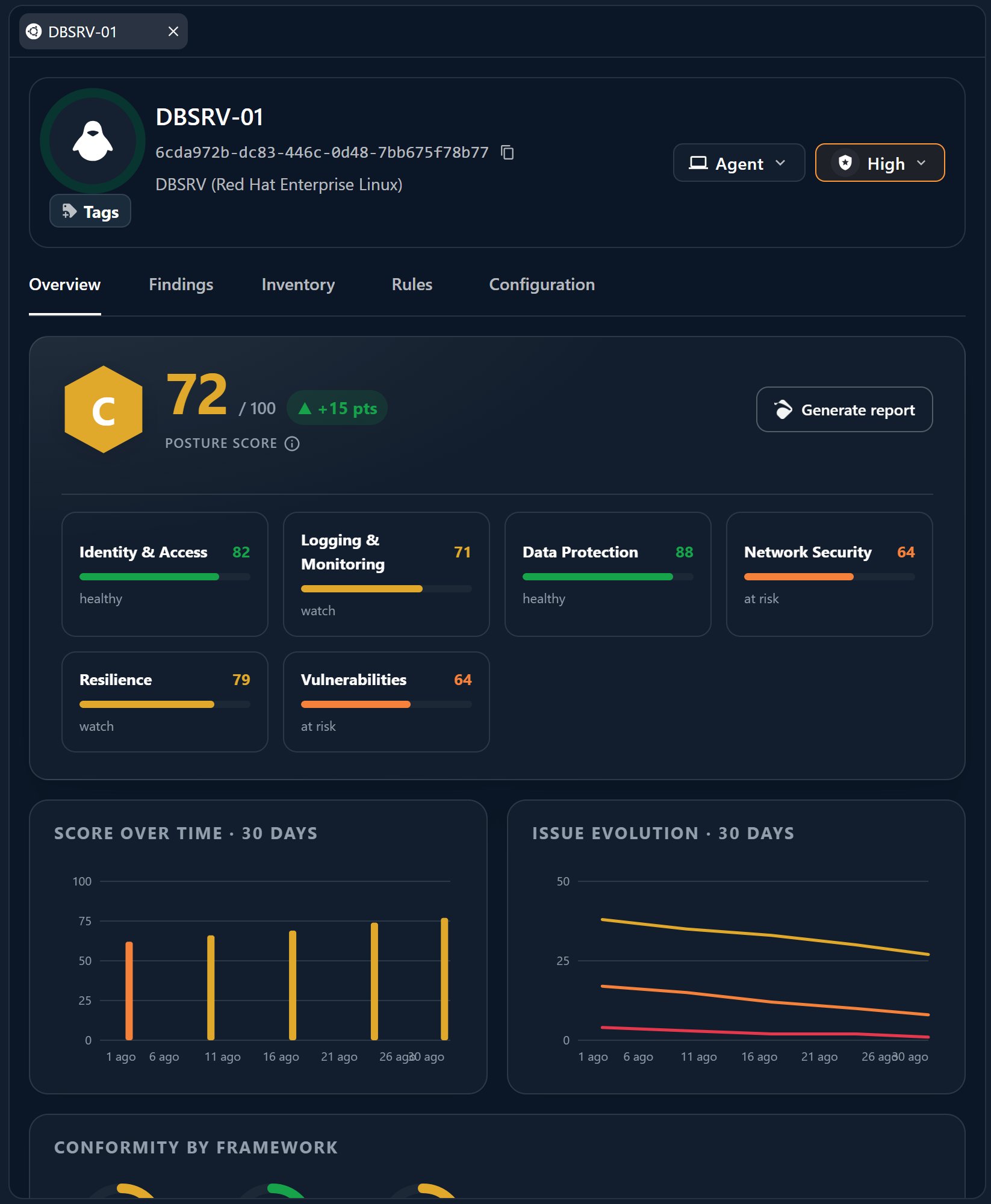
Security Posture
A Security Posture tab on the device lets you audit that specific host — checking its hardening and configuration against best practice and surfacing findings to fix. See Security Posture for how scoring and findings work across your environment.Running Actions on the Host
Response and remediation actions on a device are carried out by Perseus, the endpoint specialist, working through the installed agent. Ask in chat — scoping to the device with an@-mention — and Perseus can:
- Isolate the host from the network to contain an incident.
- Kill or terminate a process running on the device.
- Remediate — clean up and apply fixes on the host.
Actions that change a host follow the “AI proposes, you approve” pattern — you
stay in control of what runs on your devices.
Where to Go Next
Endpoints view
Browse and organize your whole device inventory.
Patch & updates
Review and schedule OS updates for this host.
Perseus
The specialist that acts on your hosts.
Endpoint vs Collector
How the two device roles differ.