

The actions on a finding
Analyze
Open a deeper analysis of the finding in chat, without changing anything.
Remediate
Send the finding to chat, where an agent fixes the underlying problem.
Silence / accept risk
Formally accept a finding you’ve decided to live with, behind a signed
document.
Reactivate
Bring a silenced finding back into scope when circumstances change.
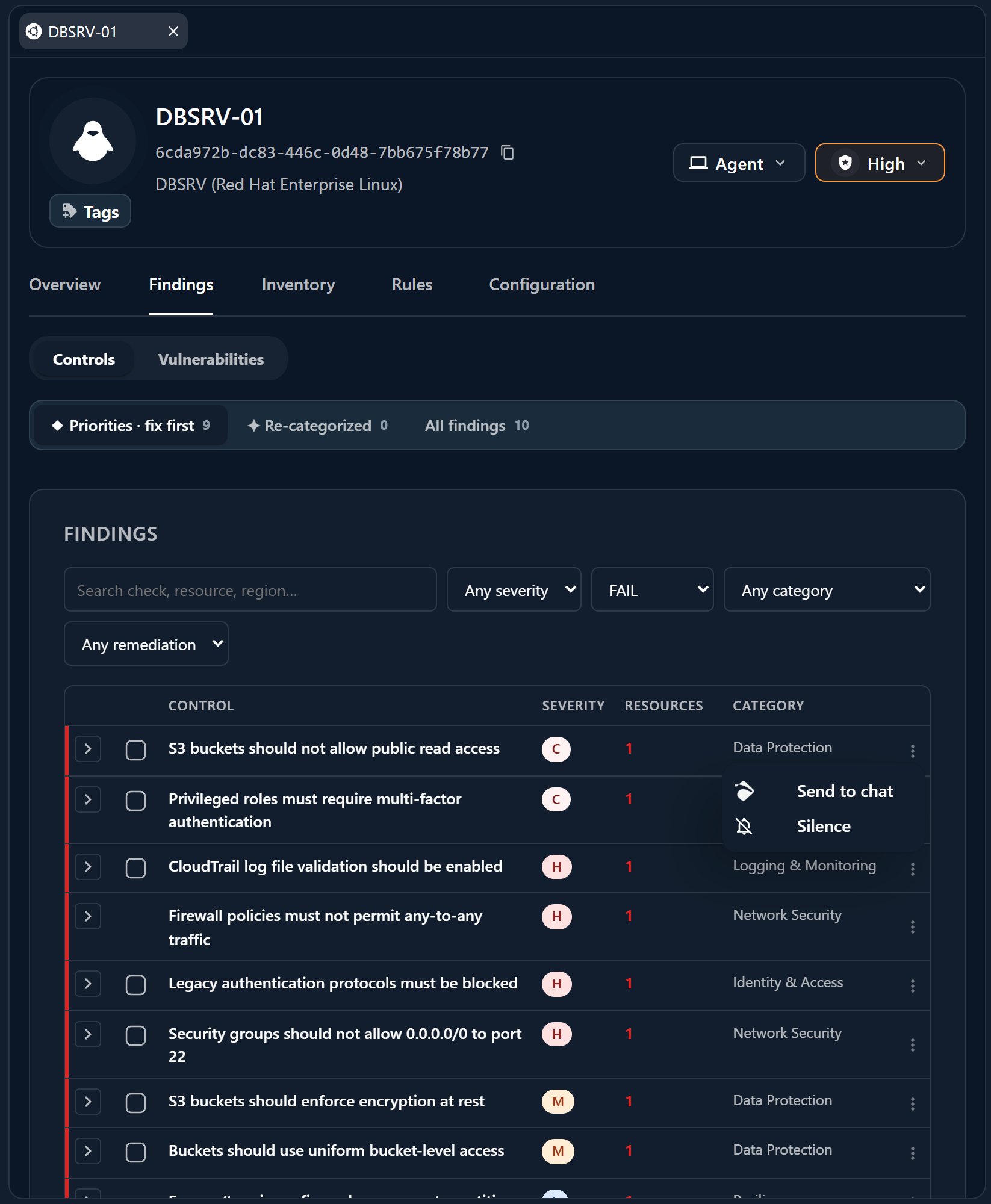
Analyze
Analyze opens the finding in chat and asks Athena to explain it — what the issue is, why it matters, which targets it affects, and how it maps to your frameworks. Nothing changes on your hosts or integrations; this is a read-only conversation you use to decide what to do next.Remediate
Remediate sends the finding — and the affected target — into chat as@-mention chips and hands the fix to the right specialist:
On a host — Perseus
Perseus applies the fix on the device through the Myrmex agent.
On an integration — Hydra
Hydra applies the fix on the connected tool.
Accept a risk
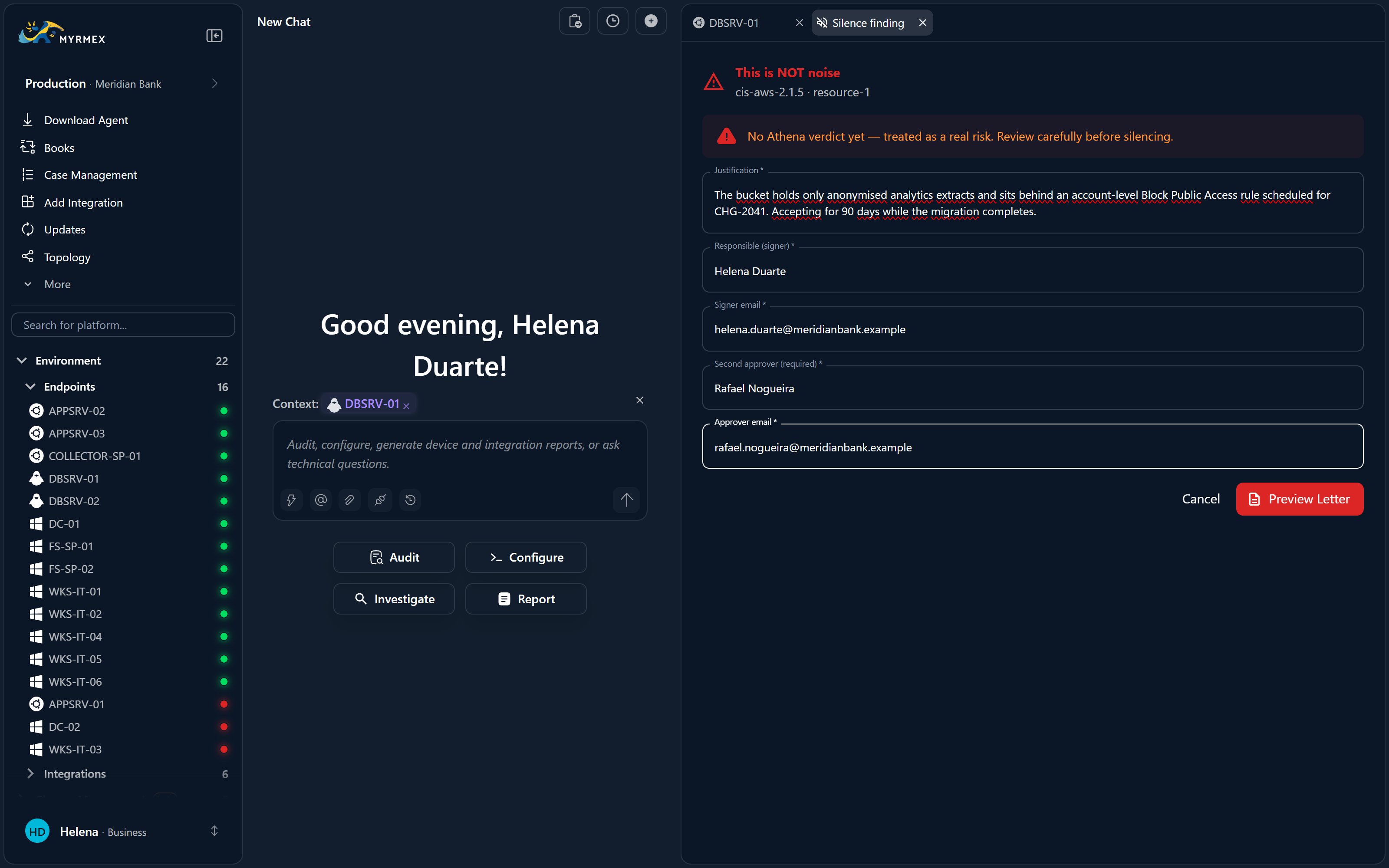
Not every finding gets fixed. When you choose to live with one, silence it — but Athena gates the decision so an accepted risk is always a documented, signed one.1
Athena drafts the document
Athena generates a risk-acceptance document that records the finding,
the target, and the justification.
2
Sign it
The document has to be signed before the finding is silenced.
3
A critical finding needs a second approver
If the finding is critical, a second approver must sign off before it
can be silenced.
This is the “AI proposes, you approve” pattern applied to risk: Athena
prepares the decision, but a human signs before anything is silenced.
Reactivate a silenced finding
Risk acceptance isn’t permanent. If the environment changes — or you simply reconsider — reactivate a silenced finding to bring it back into your posture, where it counts toward your score again and reappears for remediation.Where to go next
Security Posture
Back to the scored dashboard and findings table.
Frameworks & scanning
How findings are produced and mapped to frameworks.